
IO-Handler C++ Example
This example demonstrates how to write an IO-Handler that connects to an RTDB-based application as a TCP/IP client, using the TcpipClient library. The example is built with C++ Qt Widgets (6.11.1) and targets the IO_Example StateWORKS specification project.
In a real deployment, an IO-Handler reads physical hardware inputs (sensors, switches) and writes their values into the RTDB, and conversely receives RTDB output values and drives physical hardware (relays, actuators). Despite its close relationship to hardware, the IO-Handler has no privileged architectural role — it connects to the RTDB server as a TCP/IP client, exactly like a UI or monitoring tool would.
This example reflects that: it is a regular TcpipClient that both pokes input values into the RTDB and receives output values from it. In production, the manual UI controls would be replaced by actual hardware calls. The client role stays the same.
Example
Section titled “Example”InitializeRTDBServerConnection() handles the full connection setup using three library functions:
- initializes the callback
RepEv()usingInitialize(), called whenever an event arrives from the RTDB server - connects to the RTDB server using
Connect() - subscribes to output value changes using
AdviseStart()
The callback RepEv() may receive the RawData value of Do:001, the DataValue of No:001, or notification that the RTDB server has exited.
OnDiClicked() and OnNiEditingFinished() use Poke() to write Di:001 and Ni:001 into the RTDB — simulating what a real hardware driver would do.
~MainWindow() calls Disconnect() when the application closes.
Two further library functions are available but not explicitly called here:
Receive()— delivers a requested value from the RTDB on demand, at any timeAdviseStop()— seldom called explicitly; invoked internally byDisconnect()
Full implementation can be found in the Appendix.
Testing
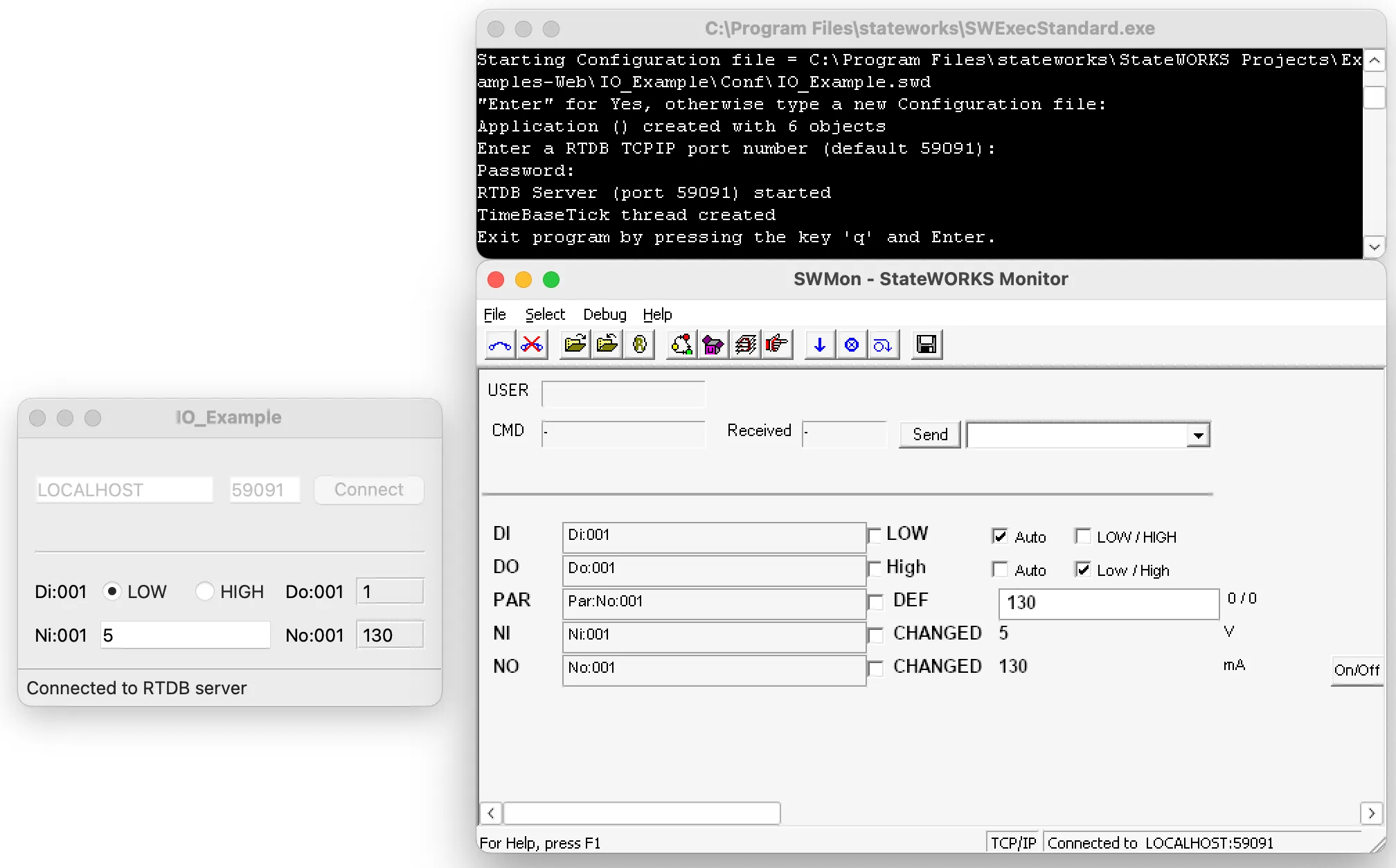
Section titled “Testing”Start SWExecStandard.exe first. On first launch you will be asked for the specification file to execute (.../Examples-Web/IO_Example/Conf/IO_Example.swd). The path is stored in .RTDB_Conf.par and reused on subsequent starts. To switch specification files, delete .RTDB_Conf.par or pass -cNAME on the command line.
Then start the IO handler application and connect.
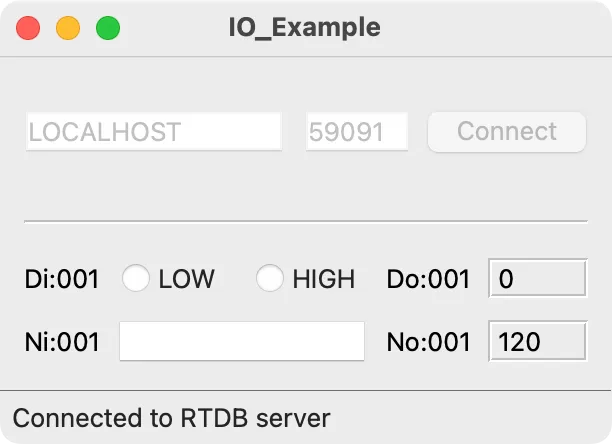
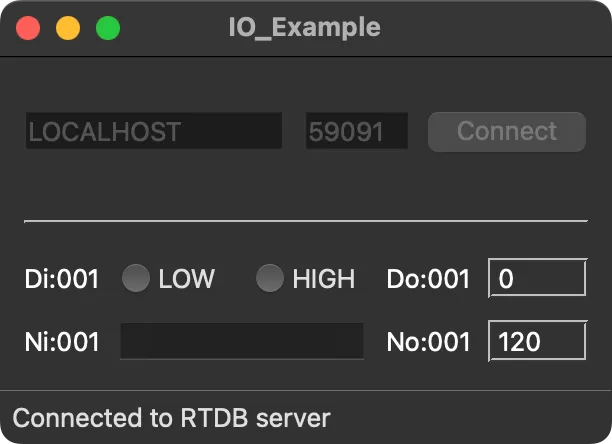
The window shows:
| Inputs | Outputs |
|---|---|
DI — Digital input | DO — Digital output |
NI — Numerical (analog) input | NO — Numerical (analog) output |
| → Manually set to simulate hardware input | → Driven by the RTDB and displayed here |
Use SWMon alongside this window for testing. Setting DI and NI here simulates incoming hardware signals — watch the effects in SWMon. Conversely, changes to DO and NO triggered via SWMon will be reflected in this window.
Appendix
Section titled “Appendix”#include "mainwindow.h"#include "ui_mainwindow.h"
// The callback function — called by the TcpipClient event thread on every RTDB event.// Dispatch UI updates back to the main thread via QMetaObject::invokeMethod.void RepEv(int Rep, const std::string &stName, const std::string &stVal, void *pOwner){ Q_UNUSED(Rep); MainWindow *wnd = static_cast<MainWindow *>(pOwner); if (!wnd) return;
if (stName == "Do:001.Raw") { QString value = QString::fromStdString(stVal); QMetaObject::invokeMethod( wnd, [wnd, value]() { wnd->UpdateDo(value); }, Qt::QueuedConnection); } if (stName == "No:001.Dat") { QString value = QString::fromStdString(stVal); QMetaObject::invokeMethod( wnd, [wnd, value]() { wnd->UpdateNo(value); }, Qt::QueuedConnection); } if (stName == "IL" && stVal == "exited?") { QMetaObject::invokeMethod(wnd, [wnd]() { wnd->Terminate(); }, Qt::QueuedConnection); }}
MainWindow::MainWindow(QWidget *parent) : QMainWindow(parent) , ui(new Ui::MainWindow){ ui->setupUi(this);
connect(ui->connectPushButton, &QPushButton::clicked, this, &MainWindow::OnConnectClicked); connect(ui->DiLowRadioButton, &QRadioButton::toggled, this, &::MainWindow::OnDiClicked); connect(ui->DiHighRadioButton, &QRadioButton::toggled, this, &::MainWindow::OnDiClicked); connect(ui->NiLineEdit, &QLineEdit::editingFinished, this, &MainWindow::OnNiEditingFinished);
ui->statusbar->showMessage("Disconnected");
// Pass the callback function to CTCPClient m_Client.Initialize(RepEv, this);}
MainWindow::~MainWindow(){ if (m_Client.Connected()) m_Client.Disconnect(true); // unadvise all before exit delete ui;}
// Connect to RTDB and subscribe to outputs.bool MainWindow::InitializeRTDBServerConnection(){ std::string host = ui->hostLineEdit->text().toStdString(); int port = ui->portLineEdit->text().toInt();
bool ok = m_Client.Connect(host, port); ui->statusbar->showMessage(ok ? "Connected to RTDB server" : "Could not connect to RTDB server");
if (m_Client.Connected()) { std::string value; // AdviseStart triggers RepEv immediately with the current value, // so no explicit Request() call is needed on startup. m_Client.AdviseStart("Do:001", IAtt_RawData, value); m_Client.AdviseStart("No:001", IAtt_DataValue, value); return true; } return false;}
void MainWindow::Terminate(){ close();}
void MainWindow::UpdateDo(const QString &value){ ui->DoLabel->setText(value);}
void MainWindow::UpdateNo(const QString &value){ ui->NoLabel->setText(value);}
void MainWindow::OnConnectClicked(){ if (!InitializeRTDBServerConnection()) close(); ui->connect_frame->setDisabled(true); ui->action_frame->setEnabled(true);}
// Poke Di:001 into the RTDB — simulates a hardware digital input changing state.void MainWindow::OnDiClicked(){ std::string itemName = "Di:001"; std::string value = ui->DiHighRadioButton->isChecked() ? "1" : "0"; m_Client.Poke(itemName, value, IAtt_RawData);}
// Poke Ni:001 into the RTDB — simulates a hardware analog input changing value.void MainWindow::OnNiEditingFinished(){ std::string itemName = "Ni:001"; std::string value = ui->NiLineEdit->text().toStdString(); m_Client.Poke(itemName, value, IAtt_RawData);}